People
People is everyone Zinley has met — every friend, colleague, or contact it has been in touch with by email or phone. Open Work → People.
You don't add people manually: when Zinley takes a call or answers an email, that person shows up here automatically, with everything Zinley learned about them and your relationship.
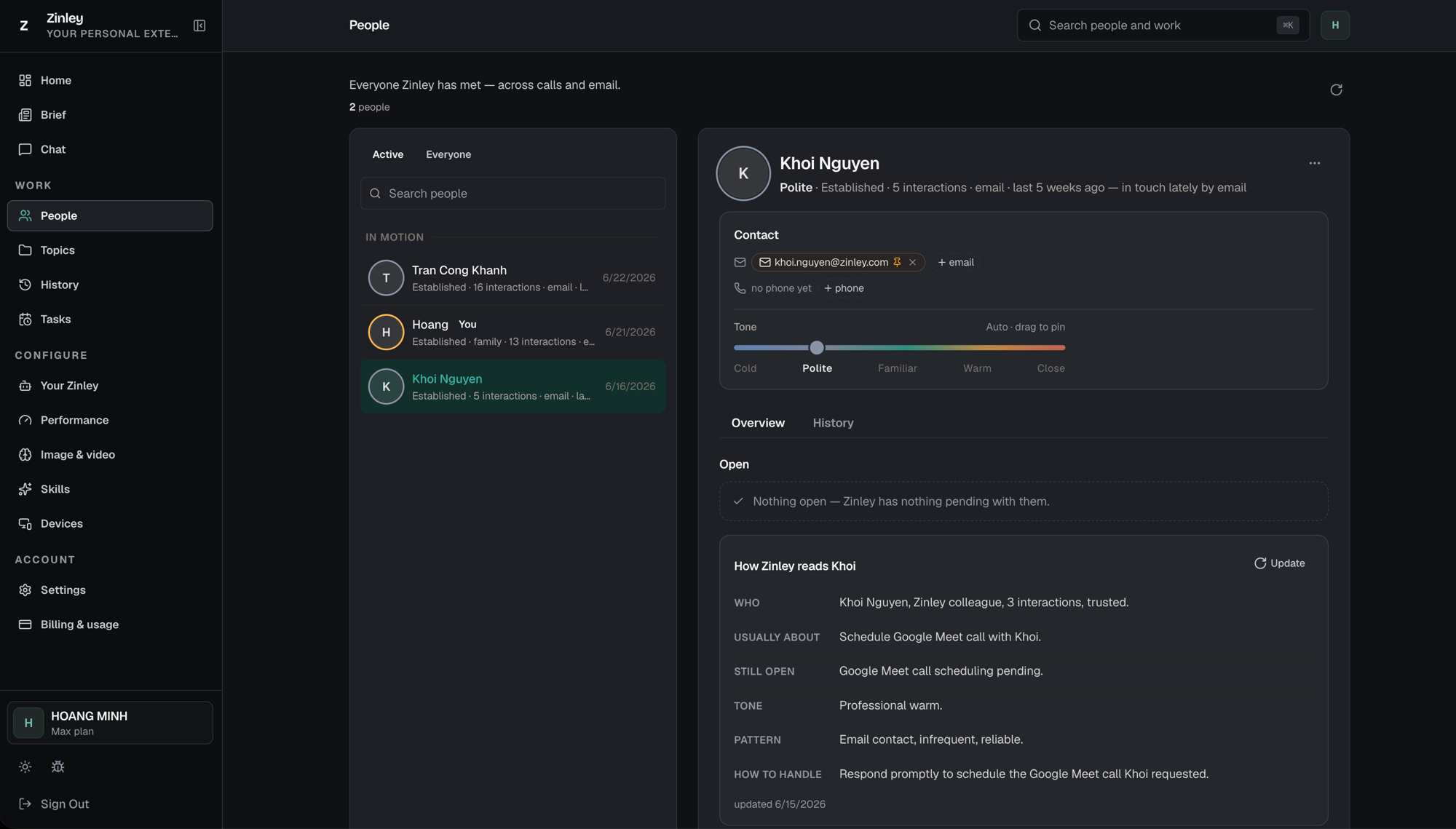
The people list
The middle column is everyone Zinley knows, with a count at the top (e.g. "2 people") and a refresh icon to update it.
- Active / Everyone — switch between people you're currently dealing with and your full list.
- Search people — jump to someone by name.
- People are grouped (e.g. In motion), and each card shows an avatar, the name (with a You badge for yourself), a one-line summary — relationship stage, interaction count, channel, and last contact (e.g. "Established · 5 interactions · email") — and the last-contact date.
- Click a card to open that person's profile on the right.
New account? You'll see the list empty. People populate on their own as Zinley handles calls and email for you.
The profile header
At the top of a profile: the person's name and a summary line — relationship stage, interactions, channel, and how recently you've been in touch (e.g. "Polite · Established · 5 interactions · email · last 5 weeks ago — in touch lately by email"). The ⋯ menu holds more actions.
Contact
Every way to reach them:
- Email — the address Zinley uses. Pin the primary one, remove one with ×, or + email to add another.
- Phone — + phone to add a number (shows "no phone yet" until you do).
Tone — how close you are
The Tone slider sets how Zinley speaks to this person, from Cold → Polite → Familiar → Warm → Close. Leave it on Auto and Zinley adapts as the relationship grows, or drag to pin a level you want it to hold.
Overview tab
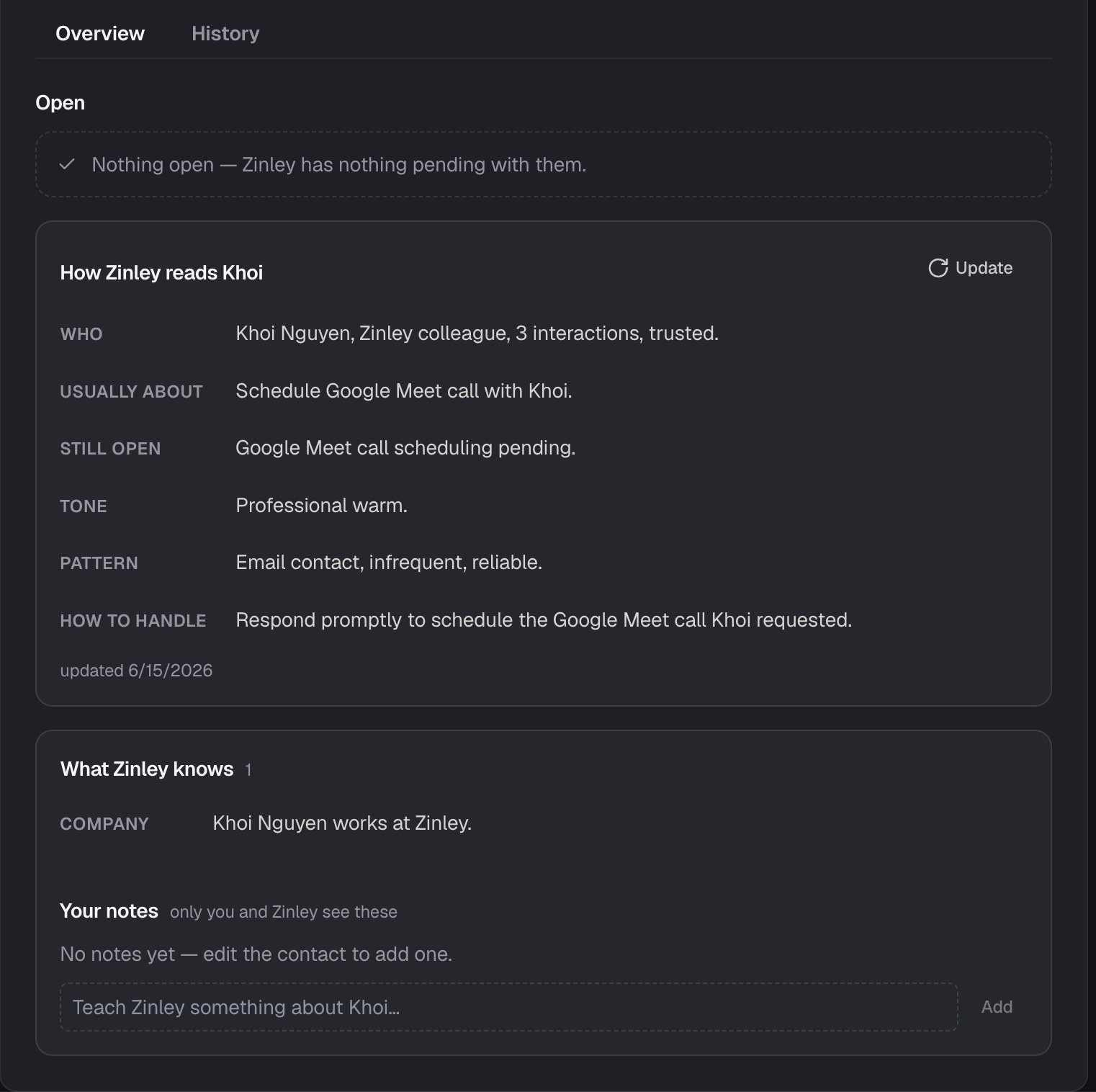
- Open — anything still pending with this person, or "Nothing open — Zinley has nothing pending with them."
- How Zinley reads [name] — a short read on the relationship, refreshed with the
Update button (and stamped with a last-updated date):
- Who — a one-line summary of who they are.
- Usually about — what your exchanges tend to cover.
- Still open — what's unresolved.
- Tone — how Zinley pitches its replies.
- Pattern — how you two typically communicate.
- How to handle — what Zinley should do next.
- What Zinley knows — facts it has picked up (e.g. Company), with a count.
- Your notes — only you and Zinley see these. Add one with "Teach Zinley something about [name]…" and Add to fill in context Zinley should remember.
History tab
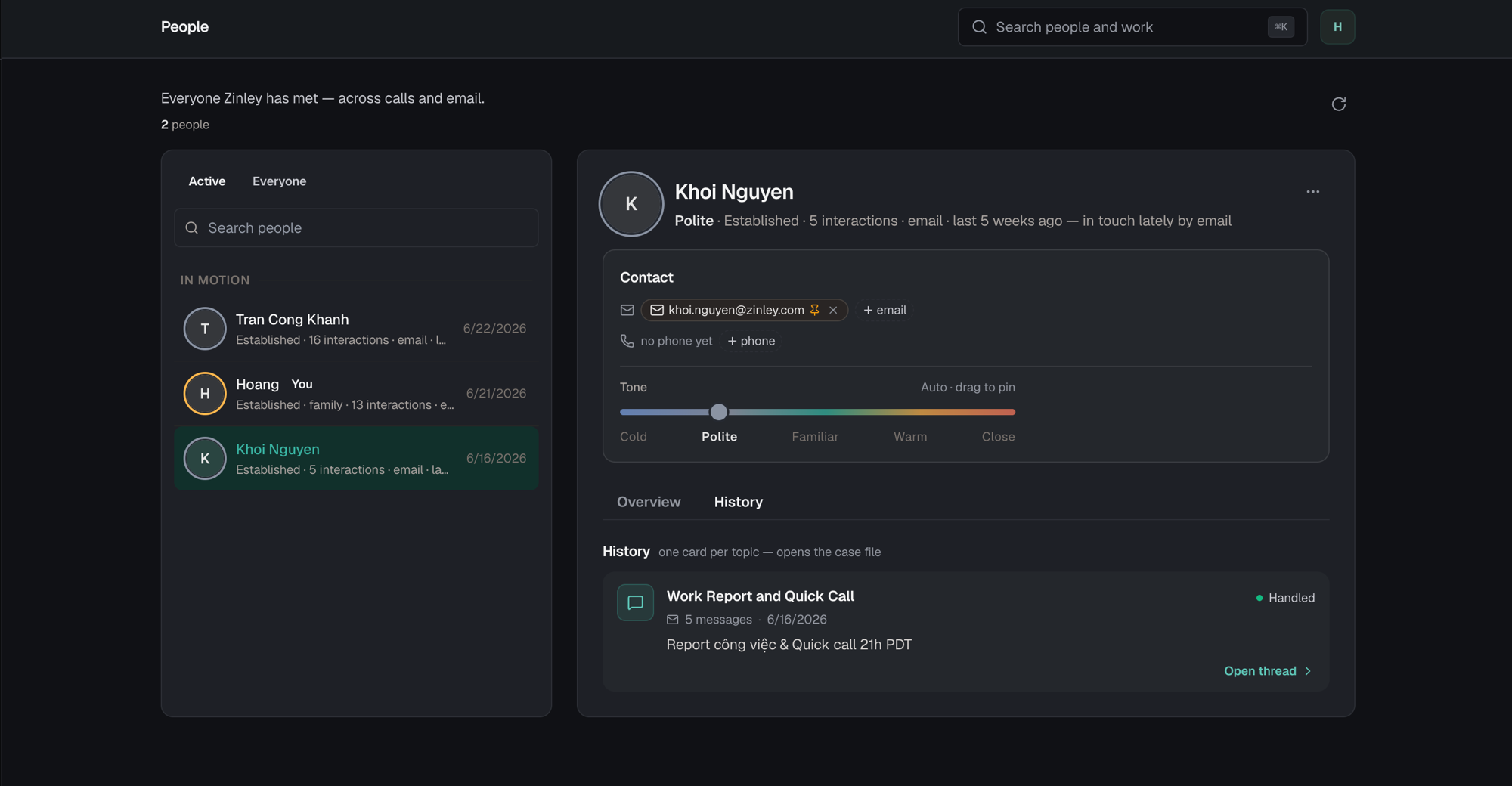
One card per topic — each opens the case file. Every conversation with this person is grouped into a topic card showing the title, message count, date, a status (e.g. Handled), and a short snippet.
- Open thread › — jumps straight to that conversation so you can pick up where you left off.
Related
- Topics — the ongoing conversations tied to these people.
- History — the full timeline of calls and emails.
- Trusted & Blocked — who Zinley treats as you vs. a stranger.