History
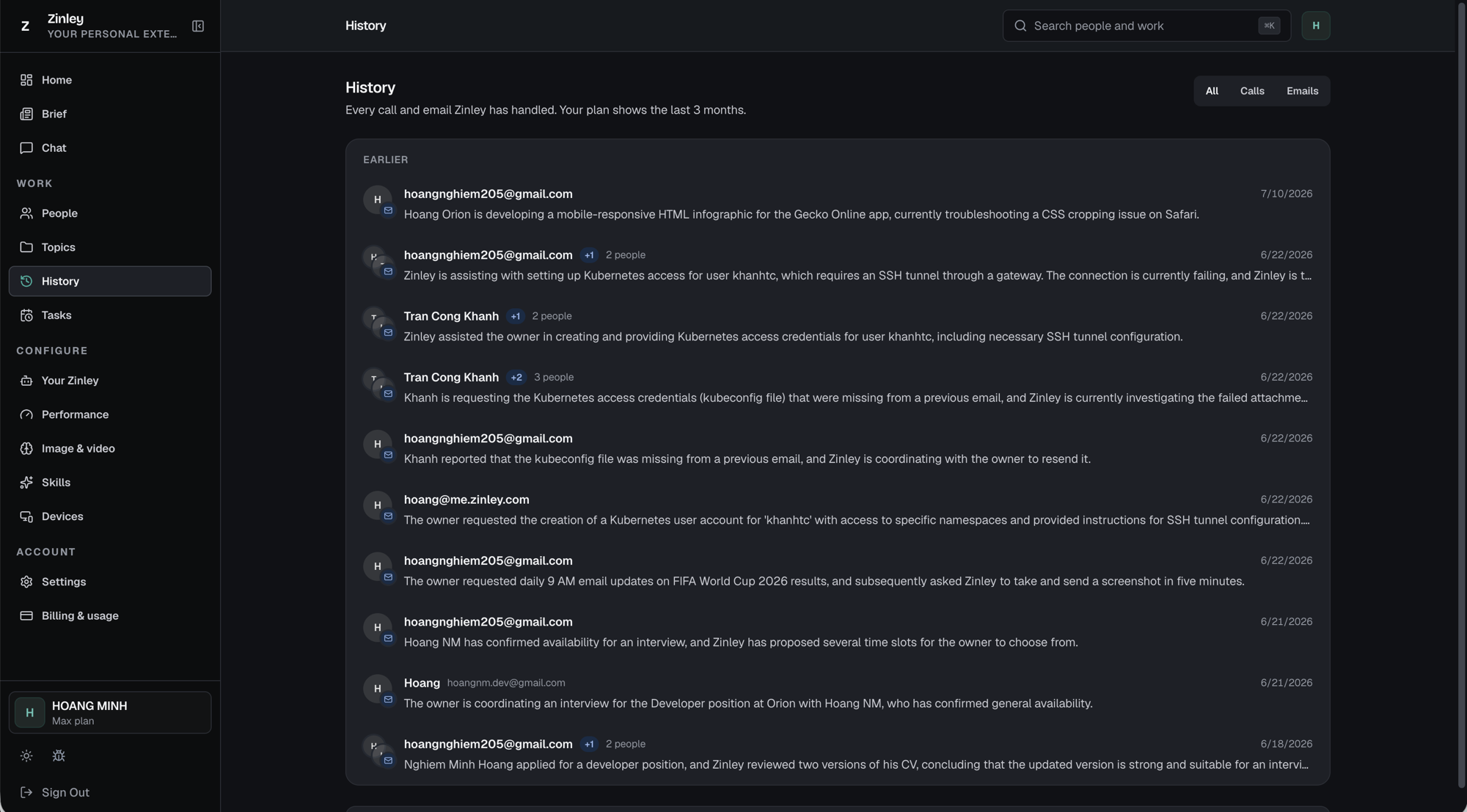
History is the record of every call and email Zinley has handled for you, newest first. Open Work → History.
Filter by type
Top-right, switch what's shown:
- All — calls and emails together.
- Calls — phone calls only.
- Emails — email only.
Reading the list
Items are grouped by time (e.g. Earlier). Each row shows:
- A channel icon — email or call — and the participant's avatar.
- The participant(s) — an email address or name. Group conversations show a +N badge and a "N people" label.
- A one-line summary of what the exchange was about.
- The date of the activity.
Opening an item — the case file
Click any row to open the full conversation. This is the same "case file" you reach from a person's History tab or a topic's Open thread.
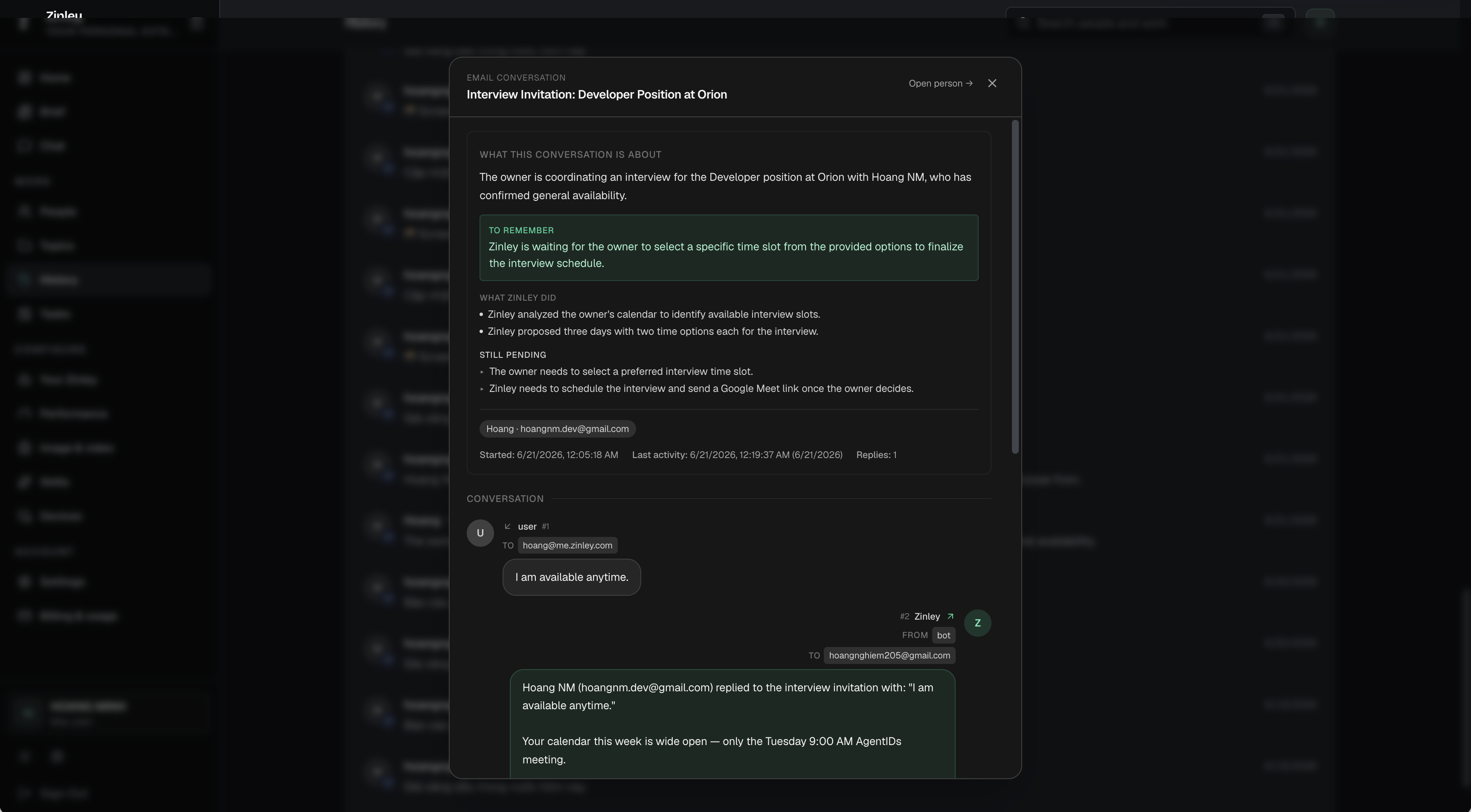
- Header — the channel (e.g. Email conversation) and subject, plus Open person → to jump to that contact in People, and × to close.
- What this conversation is about — a plain-language summary.
- To remember — the key open point Zinley is tracking (highlighted), e.g. what it's waiting on before it can move.
- What Zinley did — the actions it took on your behalf.
- Still pending — what's left, for you or for Zinley.
- Participants + timing — who was involved, plus Started, Last activity, and a Replies count.
- Conversation — the actual thread, message by message: who sent each one (you, or Zinley acting as the bot), the To/From addresses, and the content — so you can read exactly what was said.
History vs. Topics
History is the flat, chronological log of individual calls and emails. Topics rolls those same interactions up into matters tracked by whose turn it is — see the comparison on the Topics page.
How far back it goes
History retention depends on your plan — the page tells you the window (for example, "Your plan shows the last 3 months."). For a longer window, see Billing & Usage.
New account? You'll see "Nothing here yet." Entries appear as Zinley handles calls and email.