Shared Links
Shared links are public, read-only snapshots of a conversation — anyone with the link can open that snapshot. Manage them under Settings → Shared links.
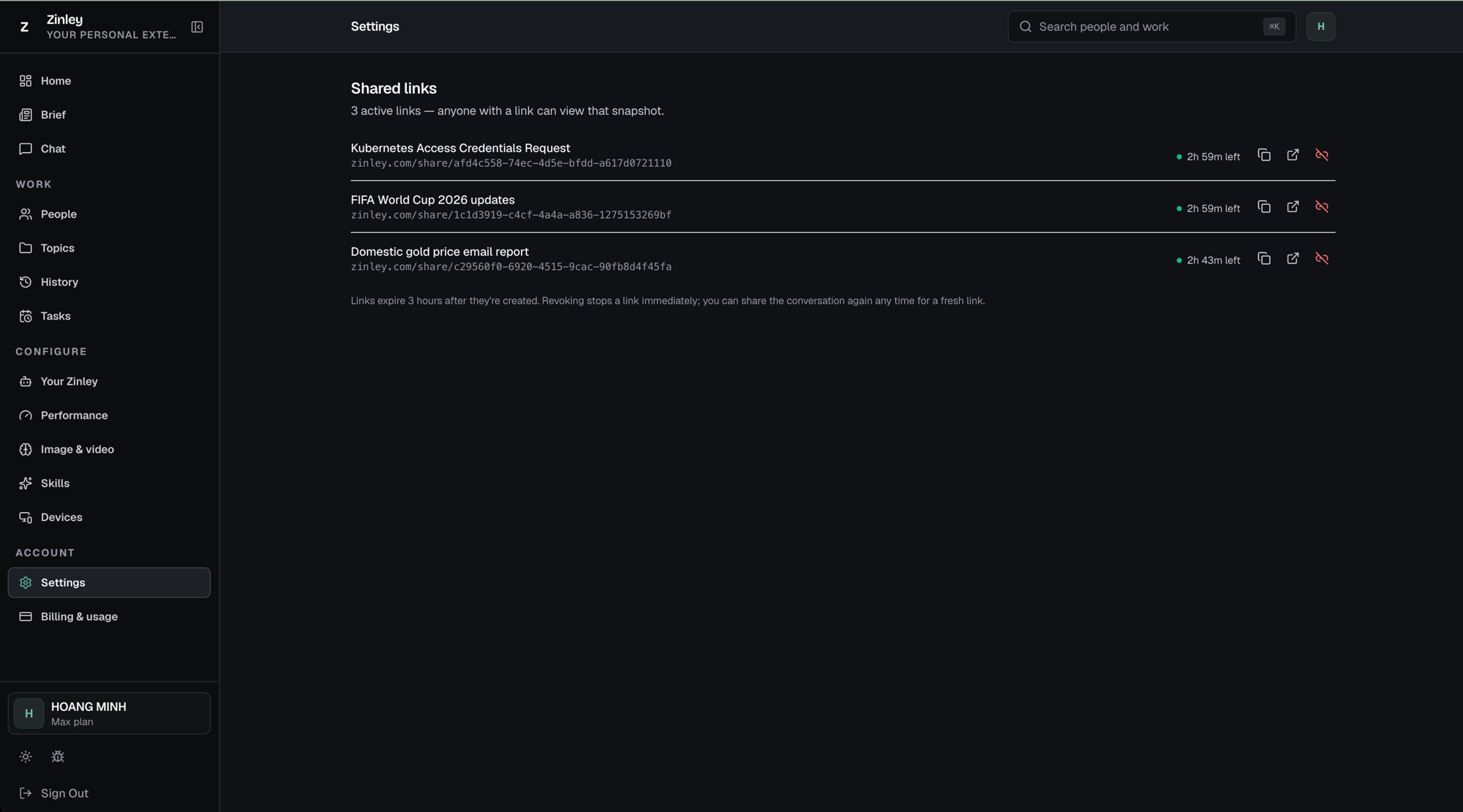
The list
The heading shows how many are live — e.g. "3 active links — anyone with a link can view that snapshot." Each row shows:
- Title — the conversation the link points to.
- Link — its public address,
zinley.com/share/…. - Time left — a green dot and countdown (e.g. "2h 59m left") until the link expires.
- Actions on the right:
- Copy (⧉) — copy the link to your clipboard.
- Open (↗) — open the public snapshot in a new tab.
- Revoke (the red icon) — stop the link immediately.
Creating a link
Sharing is controlled per conversation from the share button in a chat. Turn it on to create a public snapshot link; it then appears in this list. See Chat.
Expiry and revoking
- Links expire 3 hours after they're created.
- Revoking stops a link immediately — the red button on its row. You can share the conversation again any time for a fresh link.
Related
- Chat — where you create and toggle a conversation's shared link.
- Settings — Shared links lives here, alongside Trusted & blocked.
- Trusted & Blocked — control who can reach your agent.